Atrium

Every finance tool behind one sign-in

Atrium is the finance workspace: Folio for documents, Keystone for the raise and M&A, the Data Room for investor numbers and Chaser for receivables open inside one bar after a single Central sign-in. A finder takes "cap table", "churn" or "upload" straight to the page that does it.
For
Finance leads, founders and the board-prep team
finance.cleartrust.cc
Atrium: Home: Folio, Keystone, Data Room and Chaser with what each is for
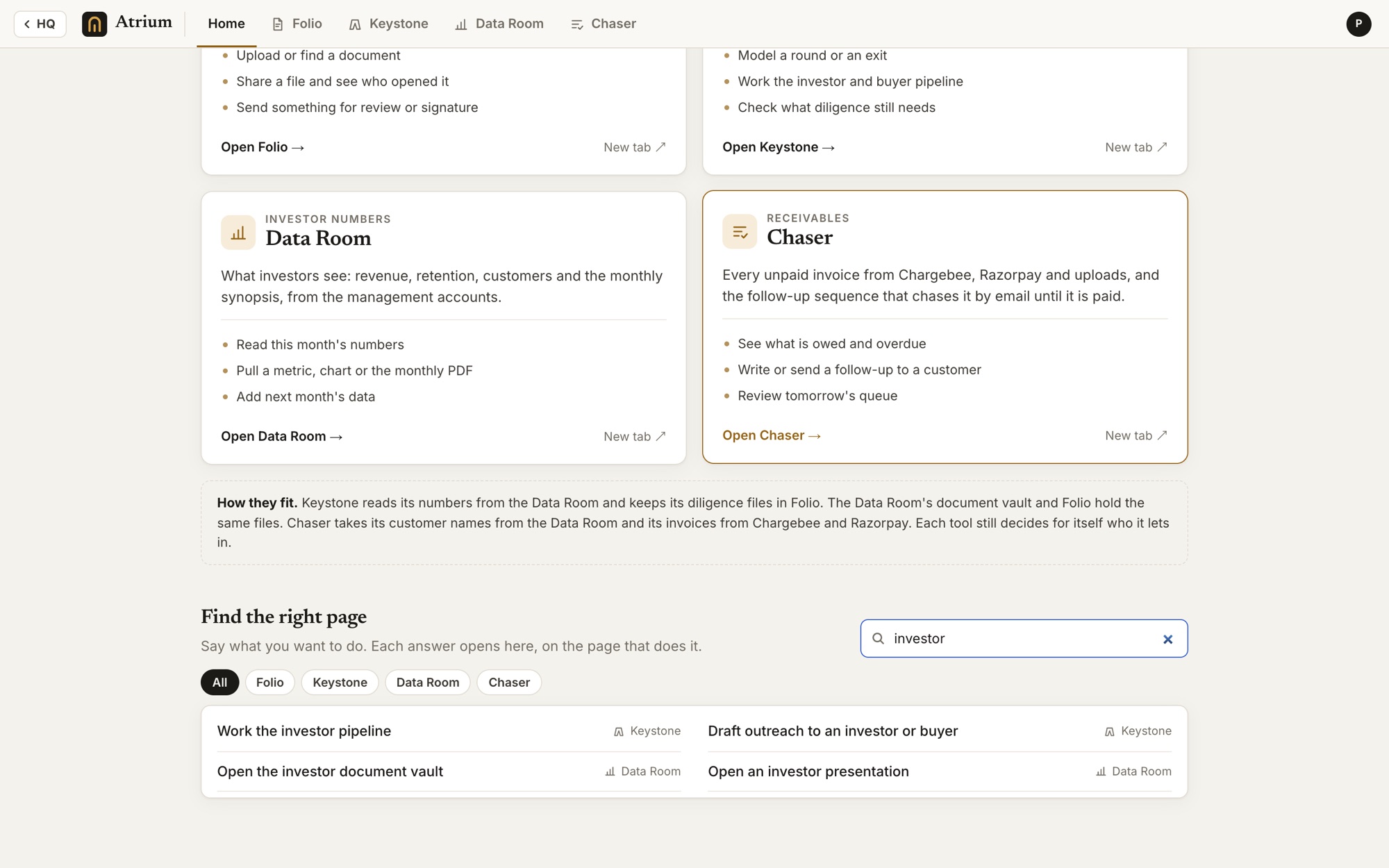
Home: Folio, Keystone, Data Room and Chaser with what each is for

The problem

Finance work is spread across a document tool, a cap-table desk, an investor data room and a collections tool, each with its own address and login.

What it does

What Atrium gives you

Four tools, one bar

Folio, Keystone, the Data Room and Chaser open inline and stay loaded while you switch between them.

Task-first finder

Search by what you want to do, such as working the investor pipeline or opening the document vault, and land on that page.

How they fit, stated

The home page explains which tool feeds which, so a new team member knows where numbers and files come from.

Deep links that stay safe

Links can open a tool at a given page, and only same-origin paths are accepted.

Holds no finance data

Atrium only routes; each tool keeps its own data and access rules.

How it works

From start to done

  1. Sign in once through Central.

  2. Pick a tool or search for a task.

  3. The tool opens inside Atrium, already signed in.

Works with

CentralFolioKeystoneData RoomChaserHQ

Signed in through Central, so the same people and permissions carry across.

Ready for agents

An MCP endpoint with apps.list and directions.find plus the user and token operations Central binds.

Built on

Next.jsPostgresCentralPlinth
Next productHearthTickets, analysis and customer feedback in one place

Want Atrium working for your team?

We will show it on your own use case and how it joins the rest of the suite.

Talk to us