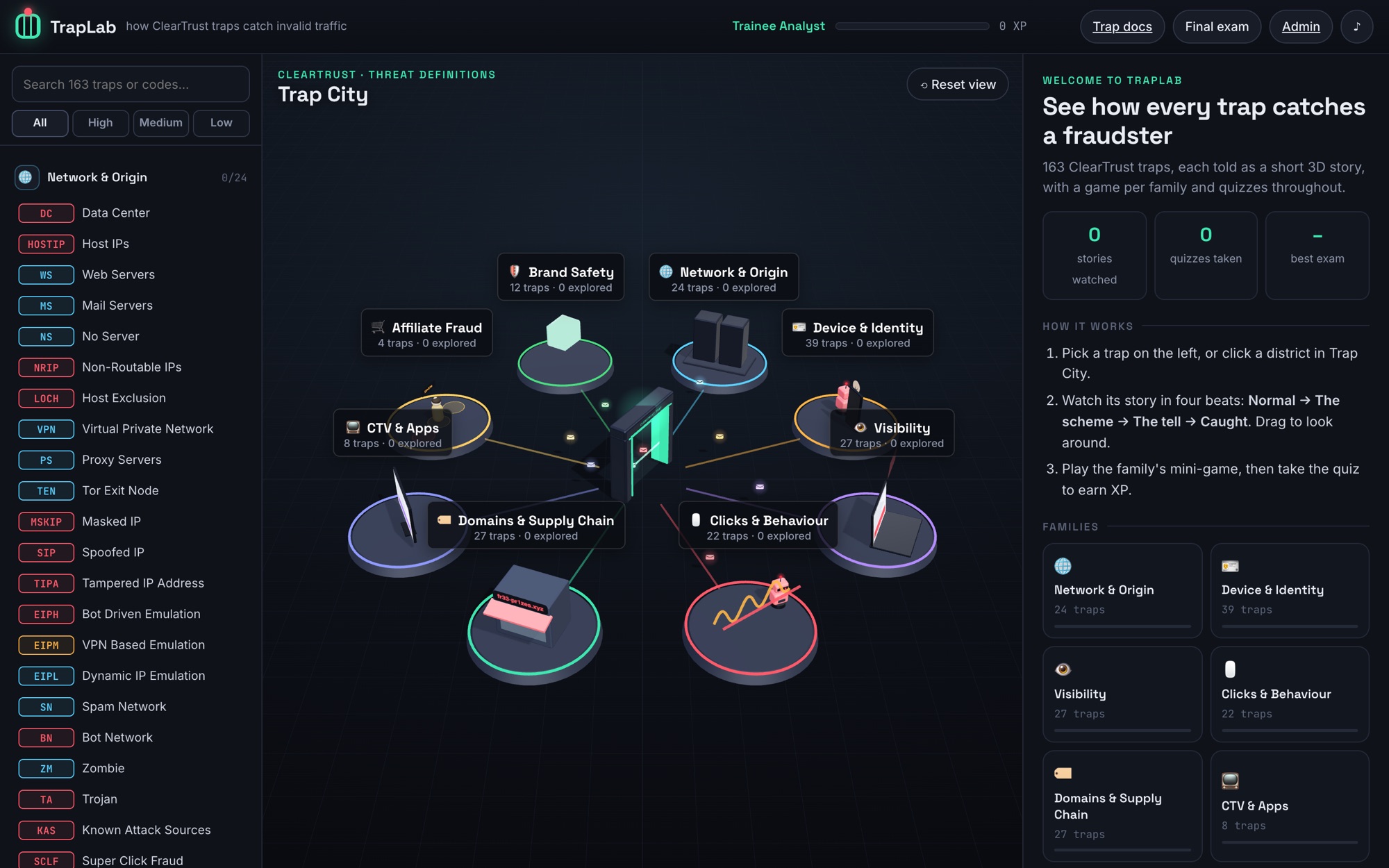
Every invalid-traffic trap, shown as a 3D story
TrapLab explains each of ClearTrust's 163 invalid-traffic traps as a short 3D story in four beats: what normal traffic looks like, what the fraudster does, the clue that gives it away, and the trap springing. Each family of traps has a mini-game and quizzes, and a public trap reference with a downloadable PDF covers every definition in plain words.

The problem
Customers and new staff are handed a long list of trap codes and one-line definitions, and few of them can explain why a click was blocked or what a given trap actually checks.
What it does
Normal, the scheme, the tell and caught, with captions, for every built-in trap; drag to look around and step through the beats.
One mini-game per family, a quiz per trap, a 15-question final exam, and XP saved in the browser.
Every trap with its definition, what the trap checks, an example and a storyboard, searchable and filterable by risk and category.
A designed, text-first PDF with cover, contents, category sections and an A–Z code index, honouring the current filters.
Anyone with a ClearTrust sign-in can add a trap; it goes live at once as text, and admins can have konsole draft its 3D story on the closest existing scene.
Traps marked live in Trap Tracker are picked up automatically and published, with the product and engineering teams emailed.
How it works
Pick a trap from the list or a district in Trap City.
Watch its story, then play the family's game or take the quiz.
Share or download the trap reference for a customer or a new hire.
New traps arrive from staff submissions or from Trap Tracker and appear with a NEW tag.
Signed in through Central, so the same people and permissions carry across.
We will show it on your own use case and how it joins the rest of the suite.
Talk to us