ClearTrust Reports

Traffic-quality reports customers build, export and schedule

ClearTrust Reports lets a customer sign in with their business's ClearTrust MCP token and build traffic-quality reports from their own data: pick what each row is (campaign, publisher, SSP, app bundle, threat name, day), pick the figures as counts or percentages, and export CSV or PDF. Reports can be saved, shared by link or emailed on a schedule, so customers answer their own questions without waiting on an account manager.
For
ClearTrust customers and their analysts
reportbuilder.cleartrust.app
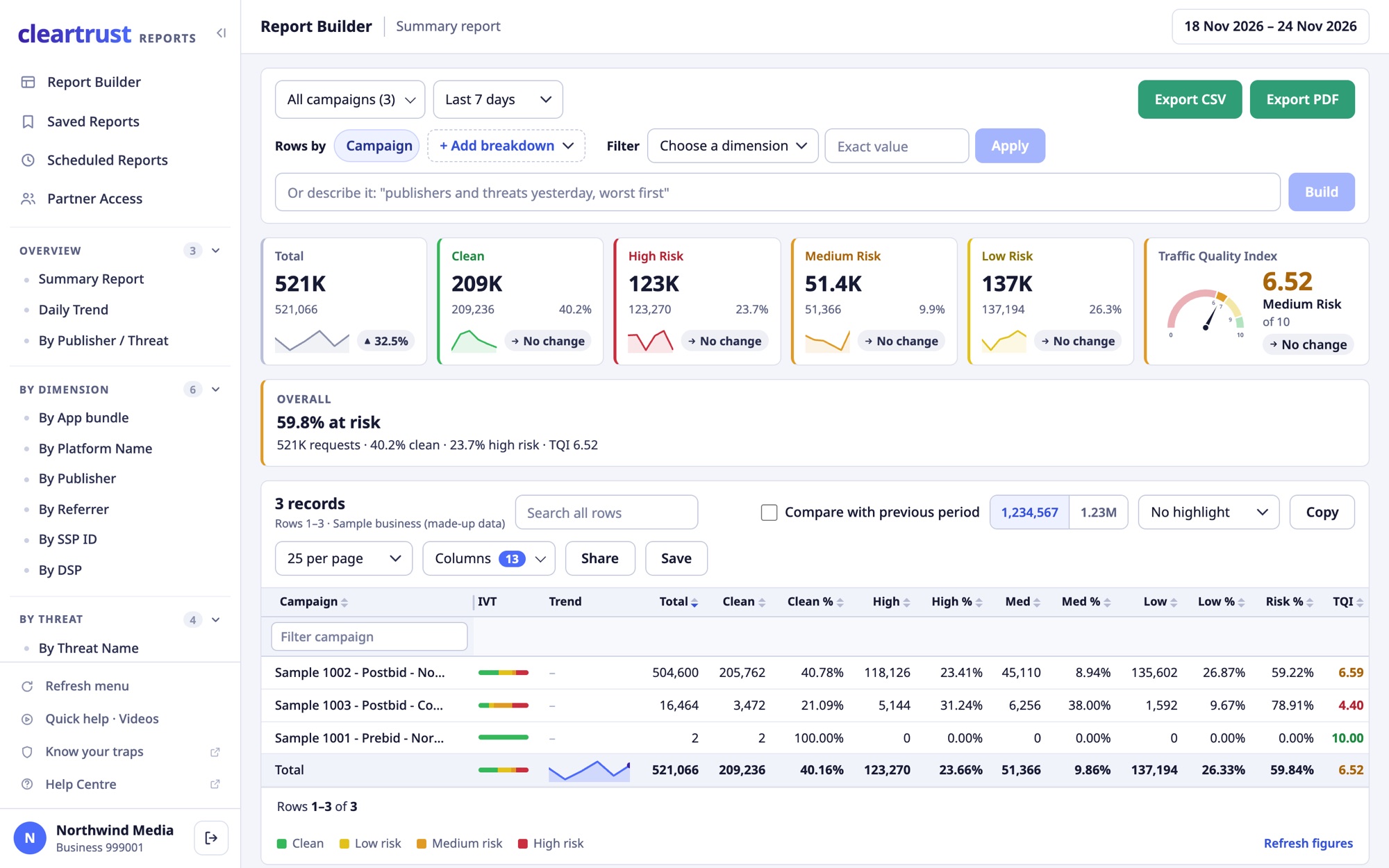
ClearTrust Reports: Summary report: quality by risk level, Traffic Quality Index and campaigns (sample data)
Summary report: quality by risk level, Traffic Quality Index and campaigns (sample data)
The problem

Customers who want a breakdown of their invalid traffic by publisher, bundle or threat usually have to ask their account manager and wait for a spreadsheet.

What it does

What ClearTrust Reports gives you

Rows and columns builder

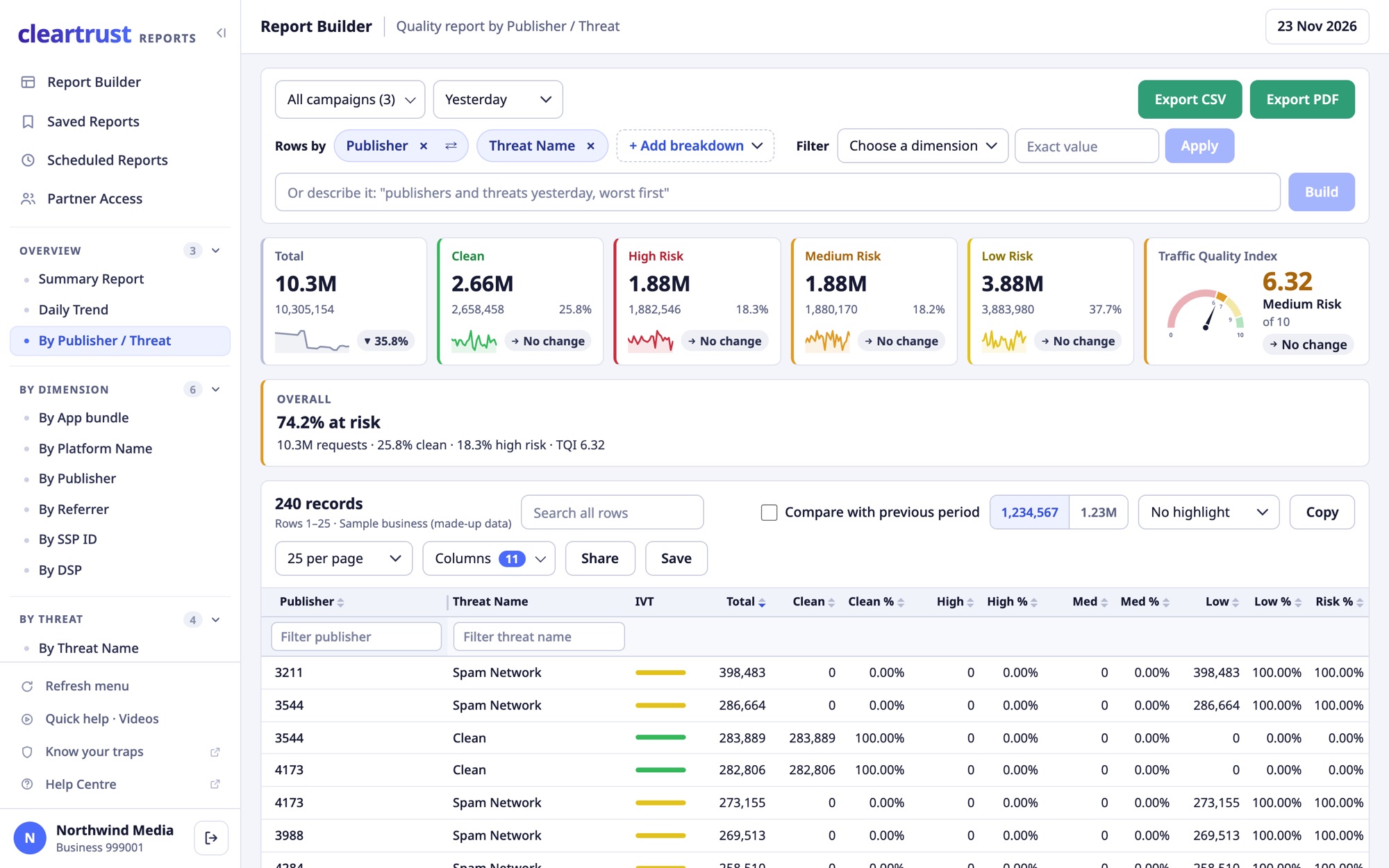
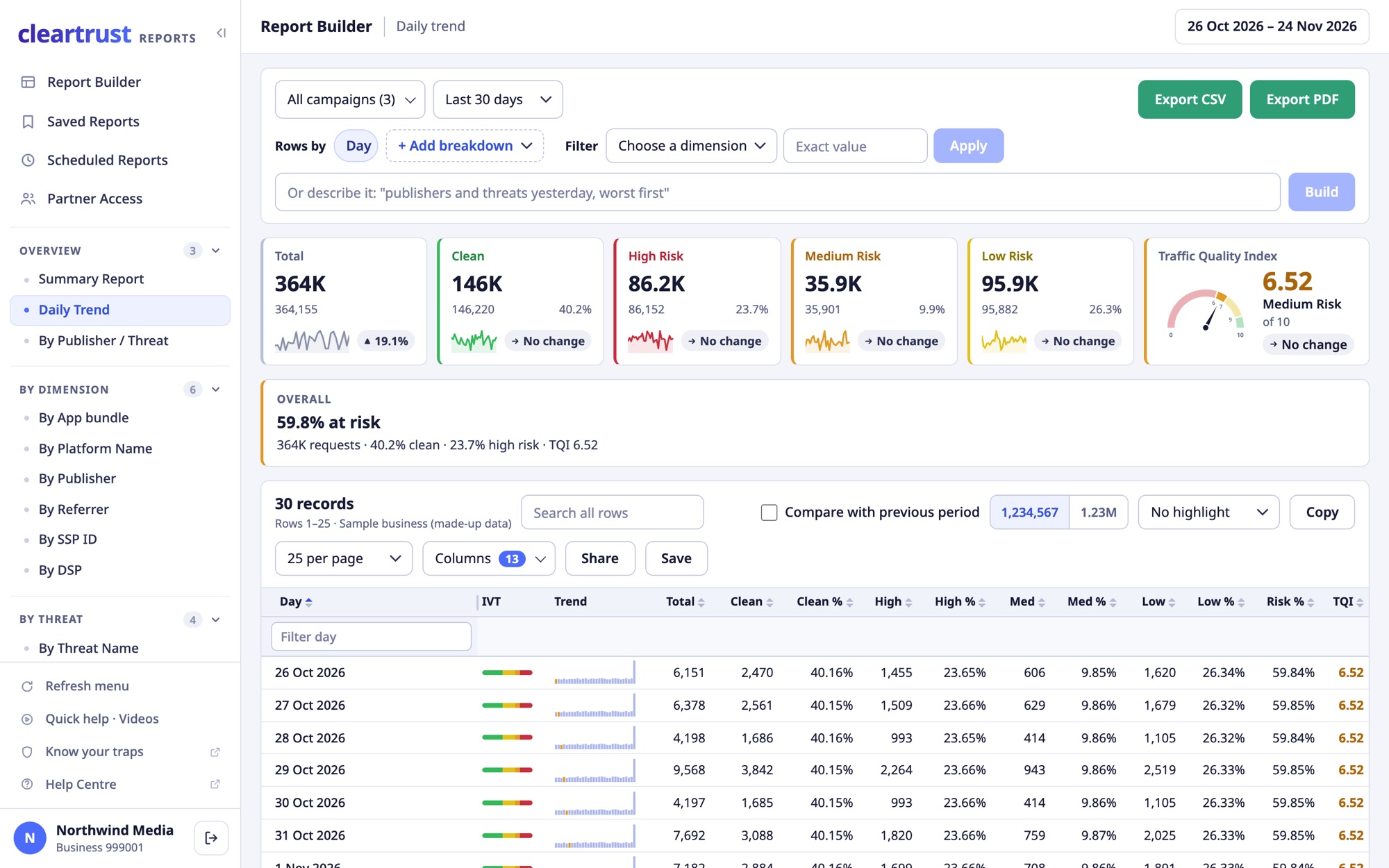
Choose up to several breakdowns (campaign, publisher, SSP, DSP, bundle, referrer, platform, threat) and the exact figures shown, with totals that always add up.

Quality at a glance

Clean, high, medium and low risk with trends, an overall at-risk share and a Traffic Quality Index out of 10.

Describe it in words

Type something like publishers and threats yesterday, worst first, and the report is built from the words in the browser, with nothing sent to a model.

CSV and PDF that match the screen

Exports are produced by the same code as the table, so the file shows what the customer saw.

Saved, shared and scheduled

Save a report, share a withdrawable link that expires in 30 days, or have it emailed daily, weekly or monthly to up to five people.

Isolated per customer

The token lives only in an encrypted cookie, only four read-only tools are ever called, and every cache is keyed to the business and the token.

How it works

From start to done

  1. The customer pastes the MCP token for their business; it is checked against the ClearTrust MCP.

  2. Pick a ready-made report from the menu or build one with rows, columns and filters.

  3. Read the figures and trends, click a name to narrow down, compare with the previous period.

  4. Export CSV or PDF, save it, share a link or schedule it by email.

Works with

ClearTrust MCPCasebookPlinthHelp Centre

Signed in through Central, so the same people and permissions carry across.

Built on

Next.jsPostgrespdfkitCloudflare WorkersRailway
Next productFolioShare documents and see exactly who read them

Want ClearTrust Reports working for your team?

We will show it on your own use case and how it joins the rest of the suite.

Talk to us