Department tasks with a live PMO dashboard
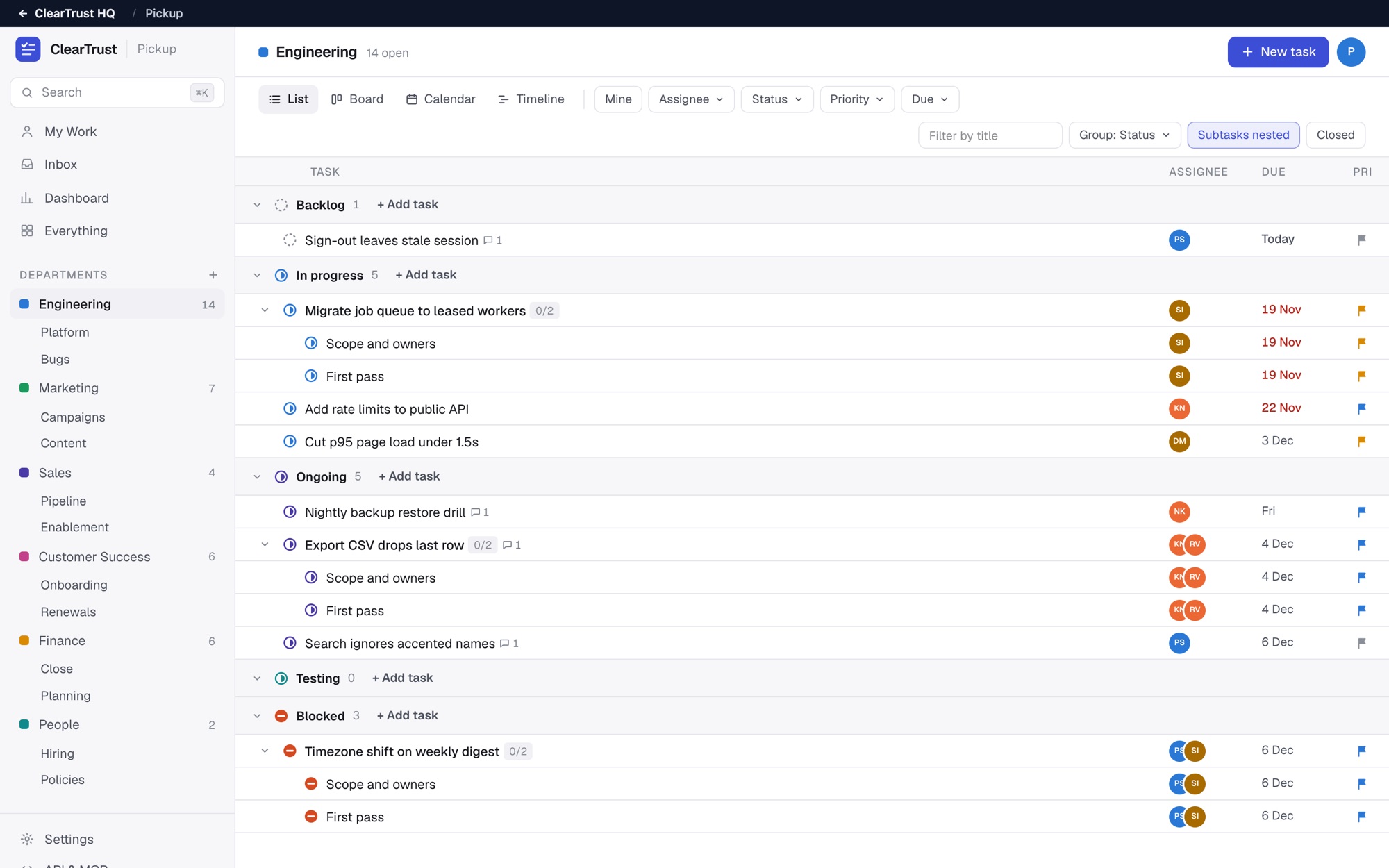
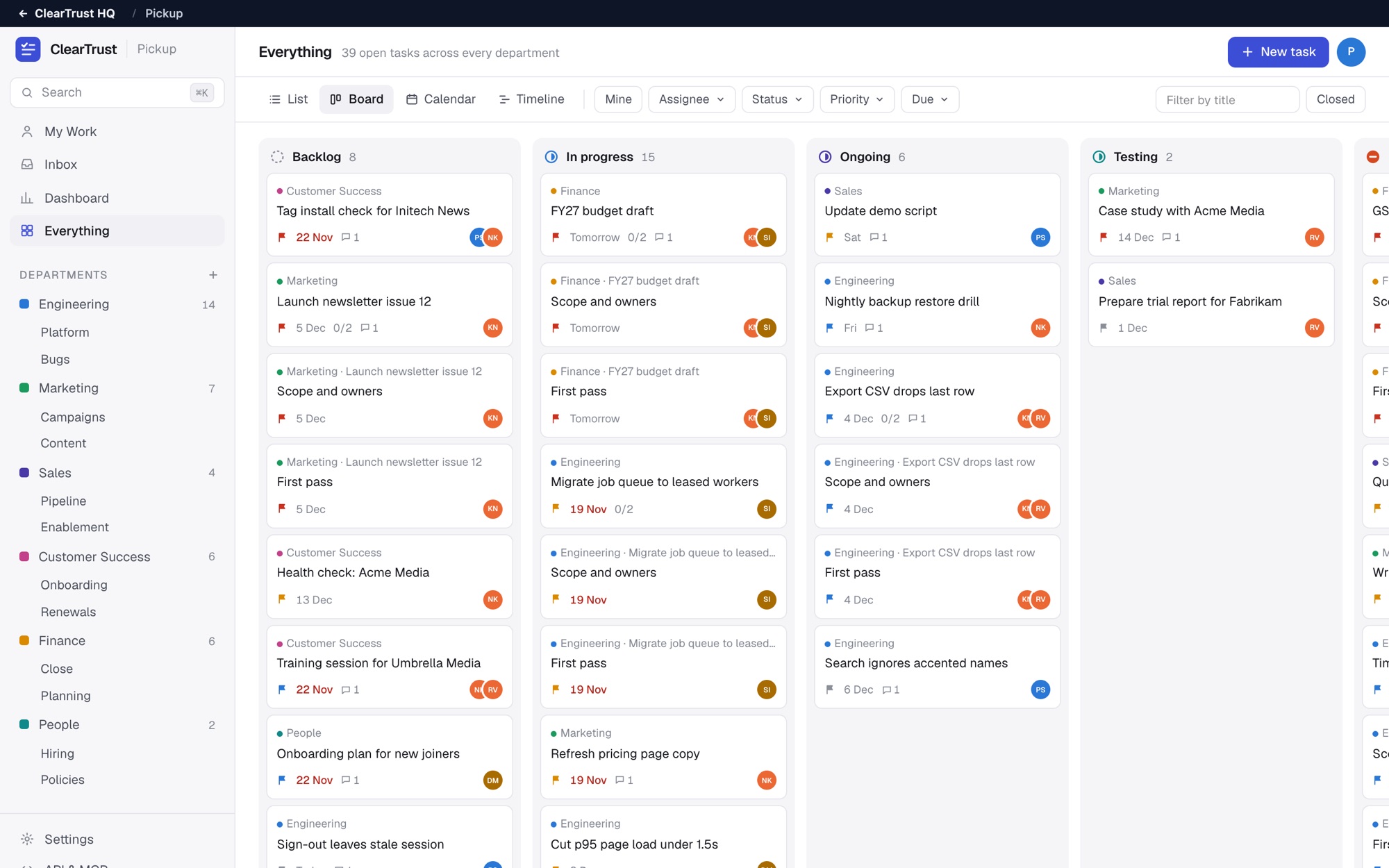
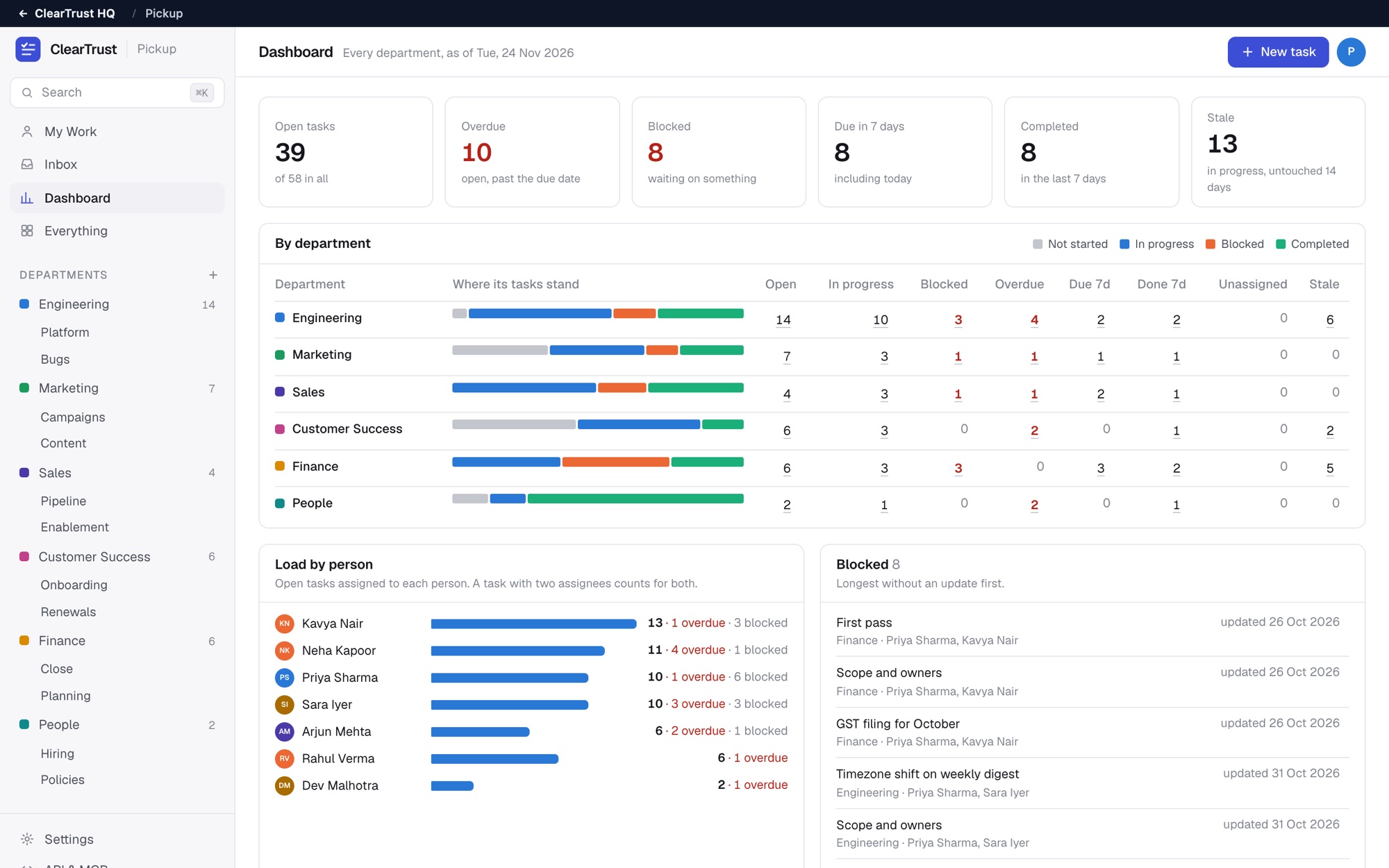
Pickup is a lighter ClickUp for a company of around thirty: departments hold lists, lists hold tasks, tasks hold subtasks to any depth. Everyone sees the same work in list, board, calendar and timeline views, and the PMO dashboard shows what is overdue, blocked or stale across every department.
The problem
Heavy project tools cost more than a small company uses, and lighter ones give no cross-department picture. Pickup keeps the everyday task views and adds the PMO numbers leadership actually asks for.
What it does
List grouped by status, assignee, priority, due date or department; drag-and-drop board and calendar; start-to-due timeline.
Per department: open, in progress, blocked, overdue, due this week, done this week, unassigned and stale, plus load per person.
Each person sees their open tasks by due date, and assignments, mentions, comments and status changes on tasks they are on.
Instant emails for assignments and mentions, one morning email on working days, and a Monday summary for admins.
A ClickUp CSV export comes in with folders as departments, subtasks, comments and checklists; re-running adds only what is new.
Every change is recorded as a task event that feeds the activity feed, the inbox and the morning email.
How it works
Staff sign in through Central; departments, lists and statuses are set up once by admins.
Tasks are created and moved in any view, with subtasks, checklists, files and @mentions.
Each change writes an event and a notification, and emails go out on the set schedule.
The dashboard rolls everything up per department and per person.
Signed in through Central, so the same people and permissions carry across.
MCP endpoint at /mcp with discover and execute over workspace.get, tasks.list, my.work, task get/create/update/comment/delete, inbox.list and dashboard.summary, using a personal or Central-issued key.
We will show it on your own use case and how it joins the rest of the suite.
Talk to us